
Boxmaster 4000
A mobile-friendly self-hosted packing system that turns a stack of cardboard boxes into a searchable inventory.
A mobile-friendly self-hosted packing system that turns a stack of cardboard boxes into a searchable inventory.
| Status | Active / In Use |
| Platform | Python / Flask, MySQL, Docker |
| Labels | Brother QL thermal printer |
| Year | 2018-2026 |
| Source | GitHub |
The box problem
Moving house produces a specific, predictable kind of chaos. For me this started in 2018. Four moves later I have the final solution!
It starts sensibly enough. Kitchen stuff goes in the kitchen boxes. Books go in the small boxes because someone told you books are heavy. The bedroom wardrobe gets its own boxes. You're labelling things with a marker — "Living room", "Bathroom", "Misc."
Then around day three of packing, the categories start to break down. Where does the bread maker go? It lives in the kitchen, but it's also kind of a misc appliance. The label says "Kitchen 7" but you only know that because you numbered them sequentially. What's in Kitchen 3? You have no idea. You think it might be the good plates, or maybe the pantry stuff. Definitely something fragile.
Fast forward to moving day. You need the kettle. You open six boxes. The kettle is in "Kitchen misc — miscellaneous stuff". Which is also where the bathroom cabinet ended up somehow.
And that's before you get to storage. If you're splitting a move across two locations — dropping some things into a storage unit and bringing the rest to the new house — you now have boxes in two places, no easy way to know which box went where, and at least three phone chargers somewhere in a 40-box pile that you're not unpacking until next month.
I've moved enough times that this has become genuinely painful. So I built something to fix it.
What Boxmaster 4000 does
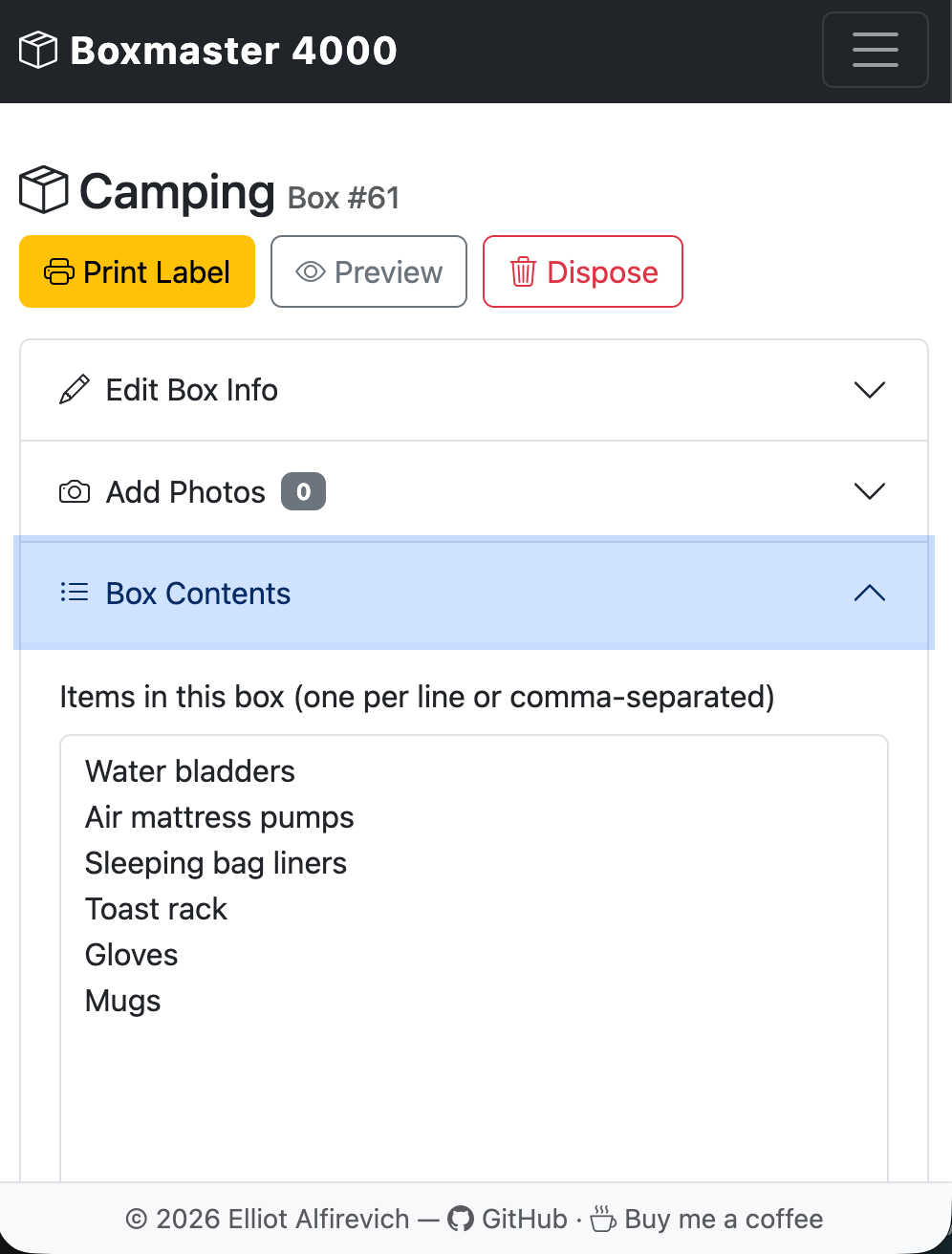
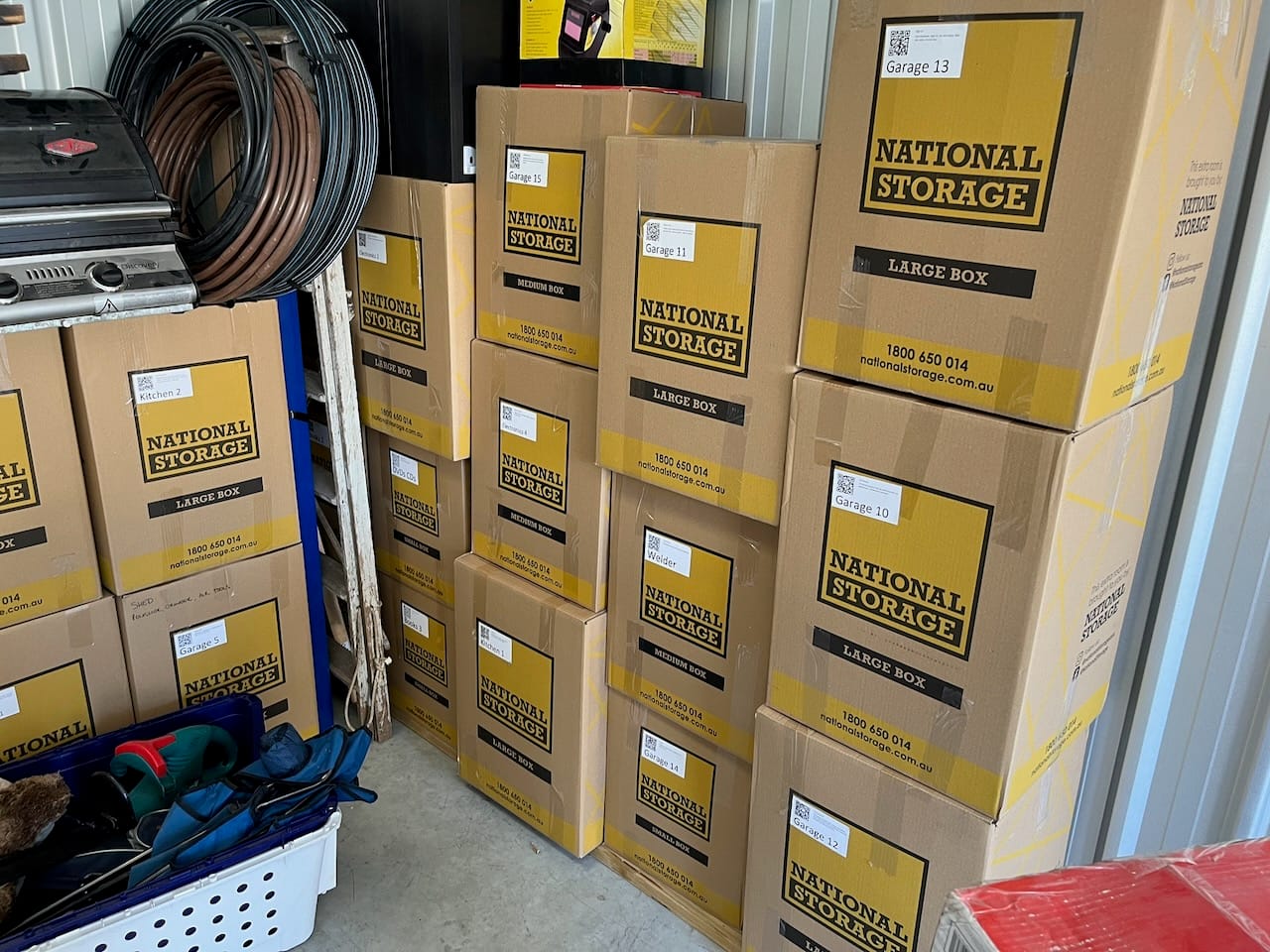
The idea is straightforward: every physical box gets a printed QR code label. Behind that QR code is a database record with the box's name, description, type, location, and a free-text contents field where you dump whatever's actually in it. When you scan the code with a phone, you get the record. When you're trying to find the bread maker, you search the database.
That's the whole thing, really. But there are a few details that make it actually useful.
Boxes get a short name, a description, a location tag, and a type (Bedroom, Kitchen, Garage, whatever you configure). The contents field is free text — just type what's in there. No structured schema, no dropdown menus per item. You're packing under time pressure; the friction has to be near zero.
Photos can be attached to each box. This sounds like a nice-to-have until you're looking for a specific piece of electronics and you can't remember if you described it as "camera", "DSLR", or "Nikon stuff". A photo of the open box before you sealed it is worth more than any amount of careful typing.
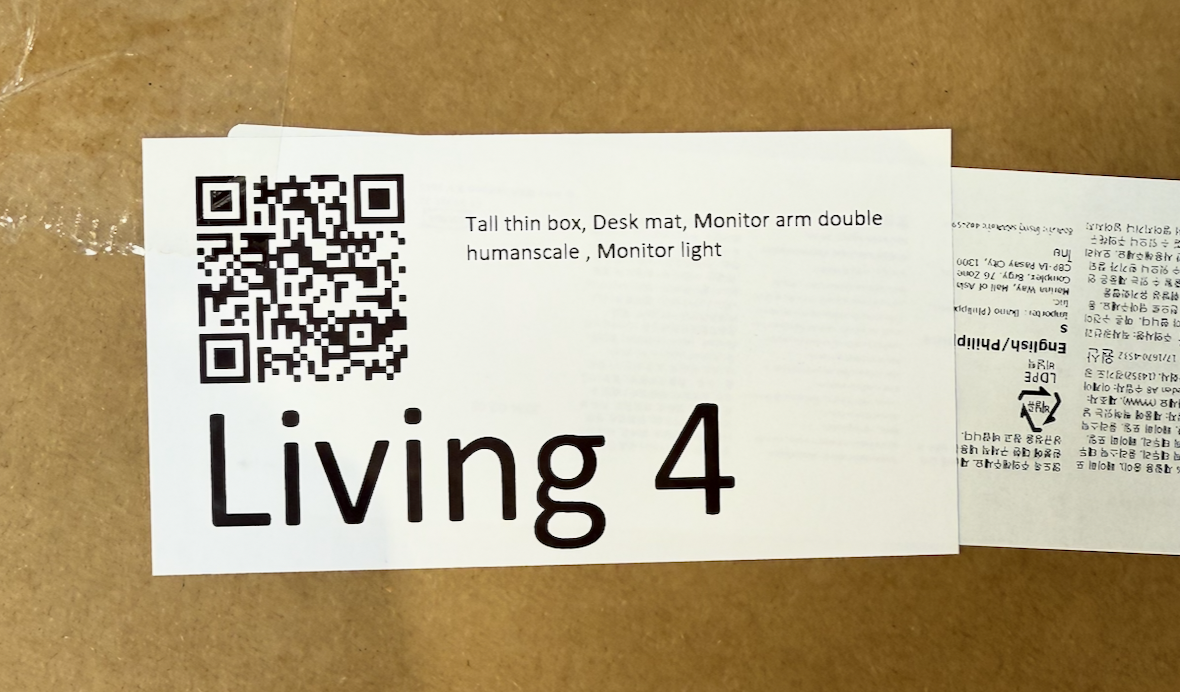
QR code labels print directly to a Brother QL thermal label printer over the network. The label has the QR code on one side and the box name and a short item list on the other. Stick it on the box. Done. Scan it from the other room, or the other city, and you know exactly what's inside without opening anything.
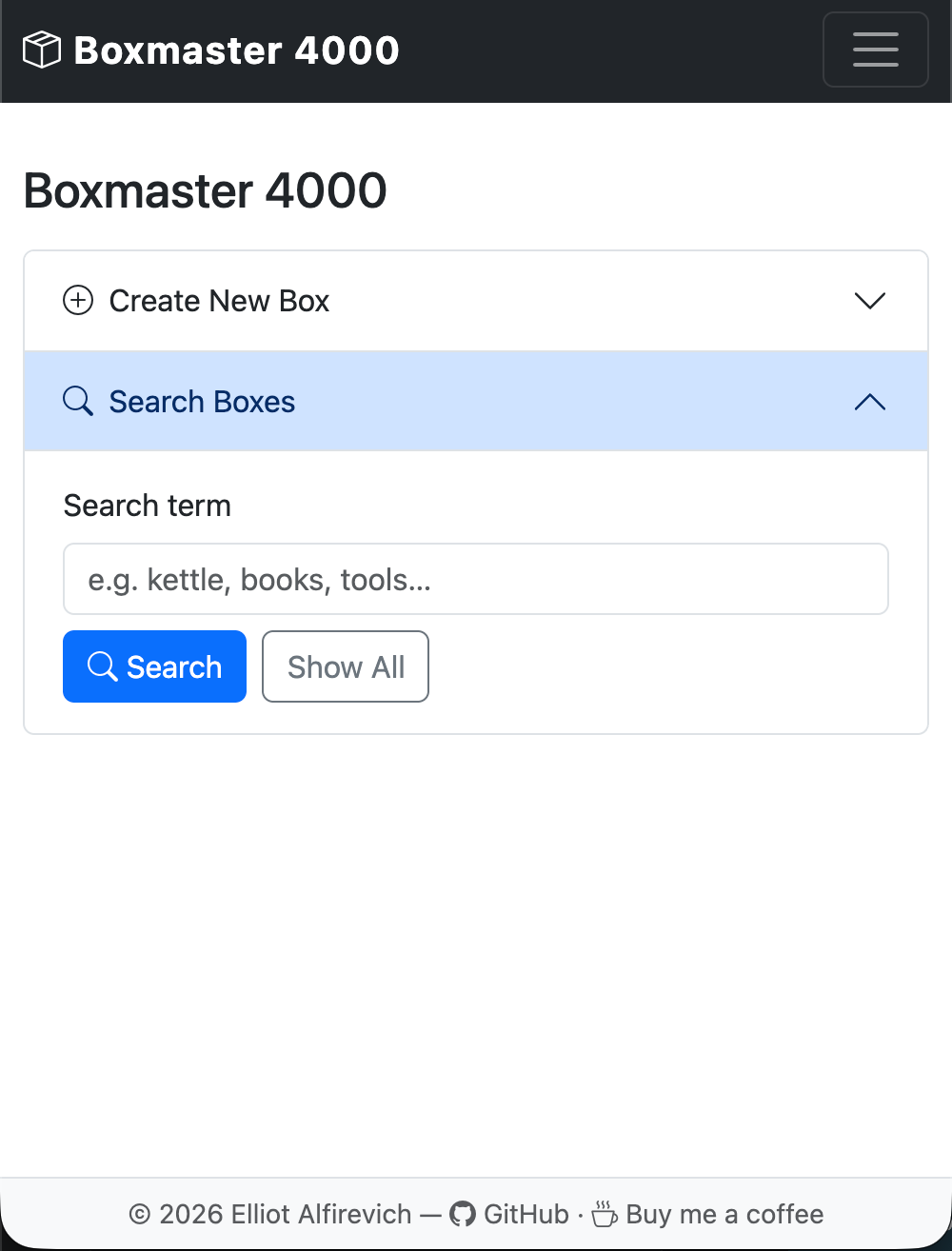
Search covers everything — box names, descriptions, contents, locations, types. You type "bread maker" and you get the one box it's in. Natural sort order means Box 10 comes after Box 9, not Box 1.
The geolocation bit
This one came out of a specific frustration: not knowing which physical location a box had ended up in.
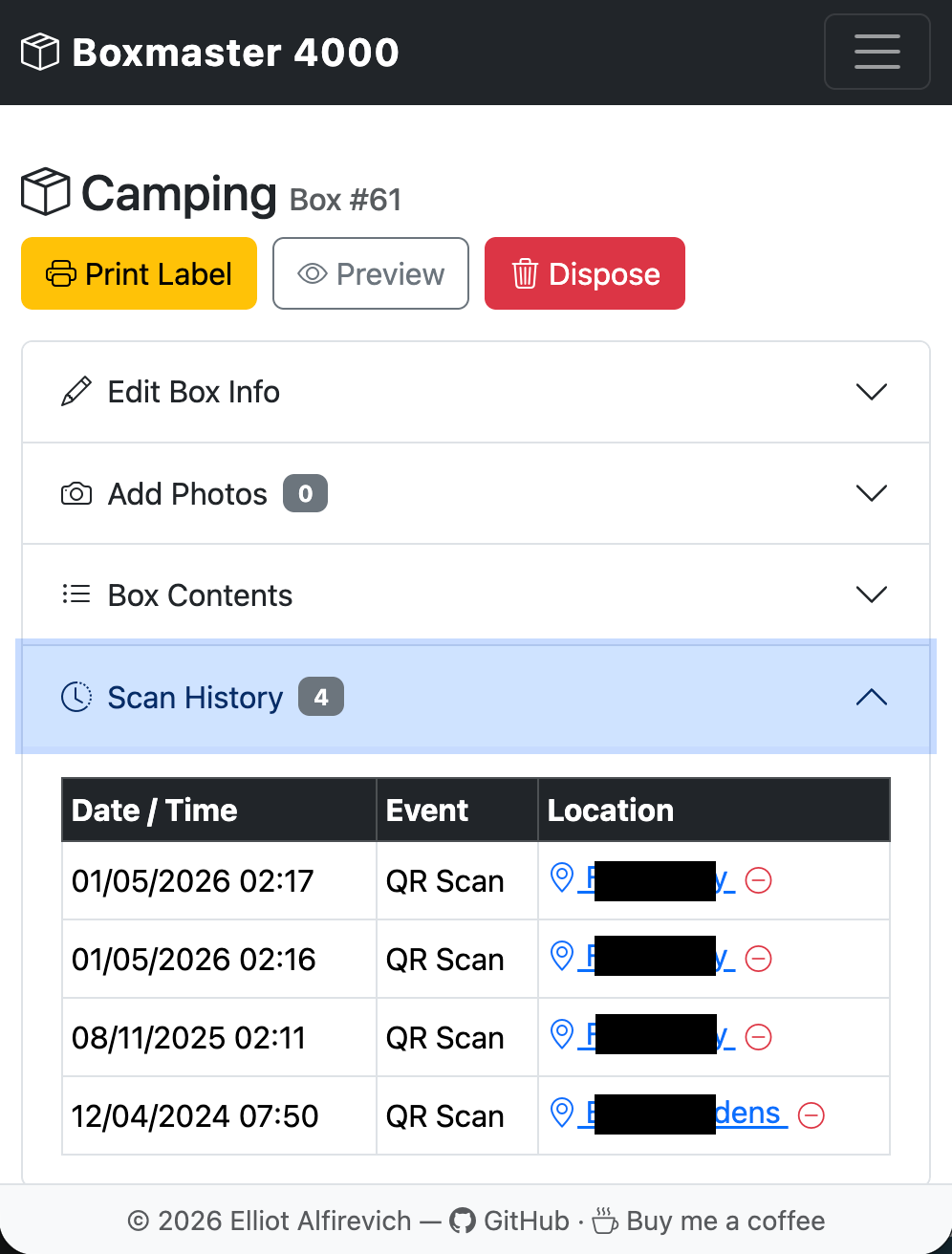
When you scan a QR code from a phone, the app can request your GPS location. It logs the scan with coordinates and a timestamp. If your GPS position falls within a configured radius of a named location — "Storage Unit A", "New House", "Mum's Garage" — the app maps that to the friendly name automatically. If you're somewhere unrecognised, it shows the raw coordinates.
The last fifty scans per box are recorded. So if a box that was supposed to go into storage keeps being scanned from the new house, you know it's in the wrong place.
It requires HTTPS to work (browsers restrict geolocation to secure contexts), so it's something to set up properly with a reverse proxy rather than use over plain HTTP. But once it's running, it's oddly satisfying — you scan a box, it tells you it's in "Storage Unit A", and you know exactly where to go.
Label printing
The label output is built with Pillow and sent directly to the printer via the brother_ql library. Every Brother QL model from the QL-500 through to the QL-1115NWB is supported. The app discovers printers on the network automatically using mDNS/Bonjour — no IP addresses to configure, it just finds the printer.
The label itself is designed for readability at arm's length: QR code on the left, box name in large type on the right (red on two-colour tape, black on standard), description below that, and a short word-wrapped item list underneath. The font auto-scales to fit. You can preview the label image in the browser before printing.
For boxes with a lot of contents, the label won't include everything — that's what the QR code is for. The label is a quick physical identifier. The scan is the full record.
Disposed boxes
Once a box is unpacked, you can mark it as disposed. It drops off the main inventory but stays in the database — searchable separately if you ever need to trace something. Disposed boxes can be restored if you misjudge and seal them back up. Nothing is deleted.
This matters more than it sounds. Six months after a move, you're looking for a document you know you had. You can't remember if you unpacked it or if it's still in a box. The disposed search lets you check the contents of every box that went into storage, even if they've all been emptied and broken down since.
Putting it together
The app runs in Docker. Clone the repo, run docker compose up, and navigate to the config page to point it at a MySQL database and configure your storage path and printer details. The app creates the schema and you're ready to start adding boxes.
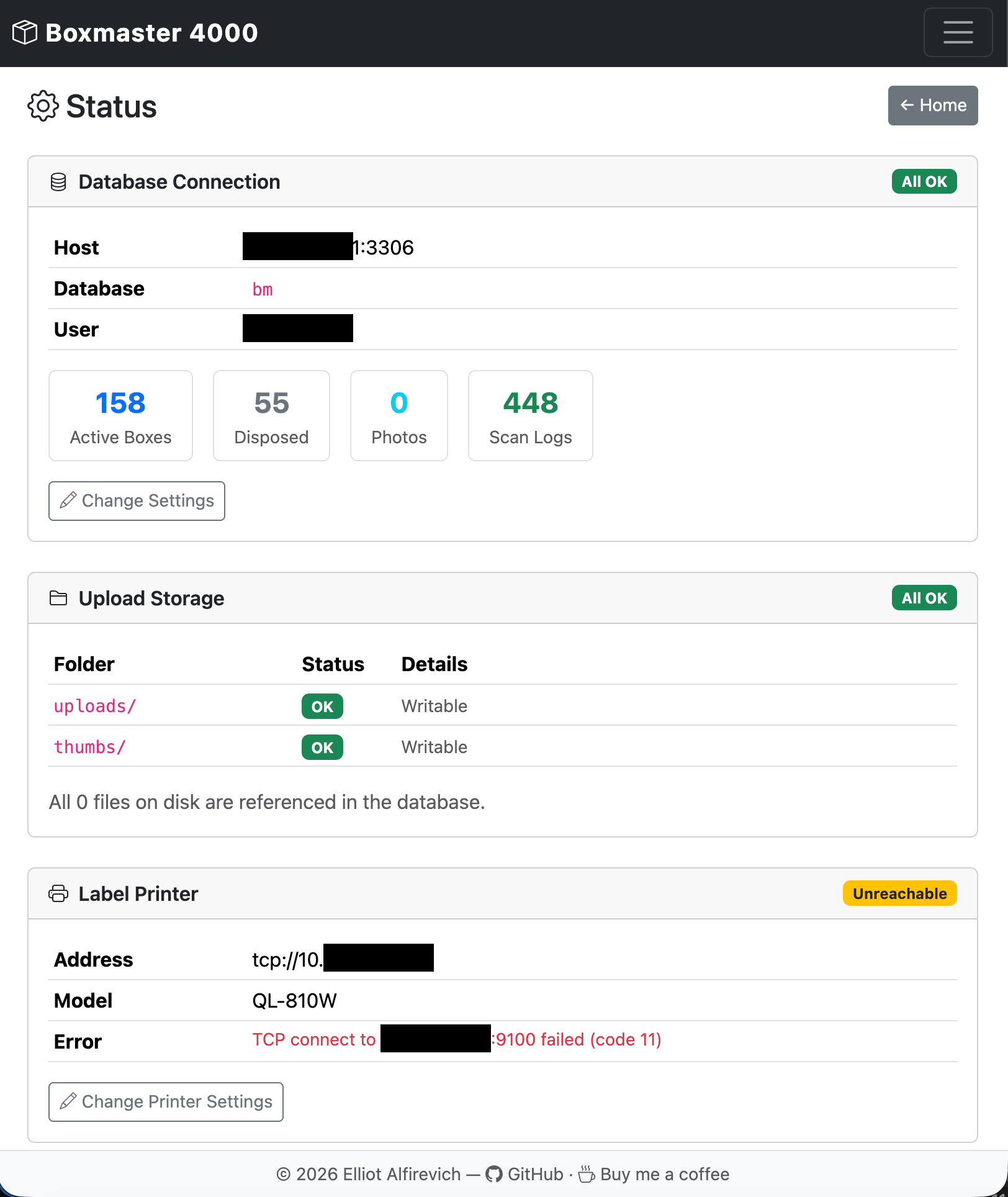
There's a health dashboard that shows database connectivity, upload storage status, printer reachability, and any pending schema migrations. If something's not right, it tells you what. Migrations can be applied from the browser without touching the command line.
It'll run on a home server, a NAS, a Raspberry Pi — anything that can run Docker. The source is on GitHub at [https://github.com/ell249/boxmaster4000] and it's MIT licensed.
What's next
A few things I'd like to add when time allows...
- Bulk import — a CSV or spreadsheet import for pre-populating a box list before packing starts
- Box grouping — organising boxes into named moves or shipments, so you can have a "2025 Move" and a separate "Storage" view
- Packing mode — a streamlined mobile UI for quickly adding contents while standing at an open box
- Sharing — read-only access for others (partner, removalists, the storage facility) without giving them edit access
- Label templates — different label sizes and layouts for different tape widths or use cases
Wrapping up
Boxmaster 4000 started because I was tired of opening boxes to find out what was in them. It ended up as something that genuinely changed how I approach a move — label everything first, scan as you go, search instead of rummage.
It's not a complex system. The database has five tables. The whole thing fits in a small Docker container. But it solves a real problem in a way that a Sharpie and a cardboard label can't, and that's good enough.
Source is at [https://github.com/ell249/boxmaster4000]. Pull requests welcome.